
Who can use this feature?
- Pike13 Plans: ✅Premium, ✅Advanced, ✅Essential
- User Roles: ✅Primary Owner, ✅Owner, ✅Manager, ✅Staff, ❌Limited Staff
Viewing Client Side Menu: History
-
At the top of any Pike13 page, click on Clients.
-
Search for and select the client you wish to view.
-
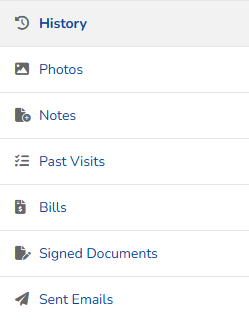
Go to the right hand menu.
-
Staff may view:
-
History to see a summary of recent Account Activity, Past Visits and Signed documents/waivers
-
Photos of current and past profile photos
-
Notes sent to the client
-
Past Visits for all complete, unpaid, no show or incomplete scheduled appointments, classes and courses
-
Bills for all open and closed invoices, including purchase requests
-
Signed Documents to see signed waivers and miscellaneous documents. From here, you can click on the PDF to download the document.

-
Sent Emails to see email history and notifications sent to the client
-