The Client Dashboard is the central hub for managing an individual customer. From this single view, staff can see everything happening with a client's account without needing to dig into reports.
In This Article
Who can use this feature?
- Pike13 Plans: ✅Premium, ✅Advanced, ✅Essential
- User Roles: ✅Primary Owner, ✅Owner, ✅Manager, ✅Staff, ✅Limited Staff
Viewing the Client Dashboard
- At the top of any Pike13 page, click on Clients.
- Search for and select the client you wish to view.
- For additional information, navigate their profile using the Side Menu options.
Using Filters and sorting on the Client Page
- At the top of any Pike13 page, click on Clients.
- Select the Filters option above the search bar and choose a filter.
- Current Membership
- Current Pass
- Current Plan
- Scheduled events
- Birthday range
- Age between
- No date of birth on file
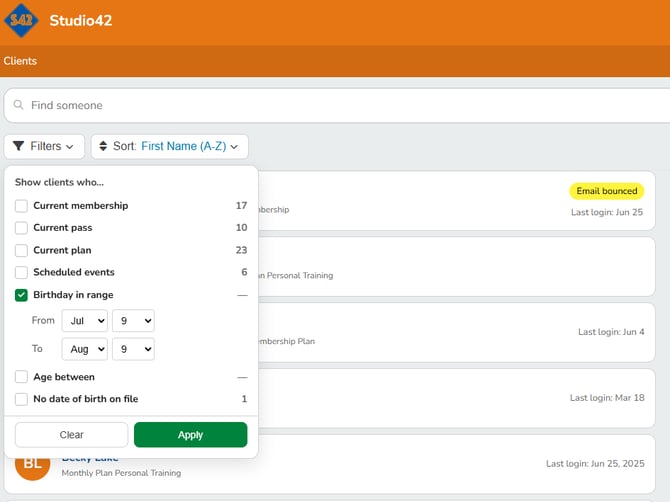
- You can use multiple filters to get the group of clients you wish to review.
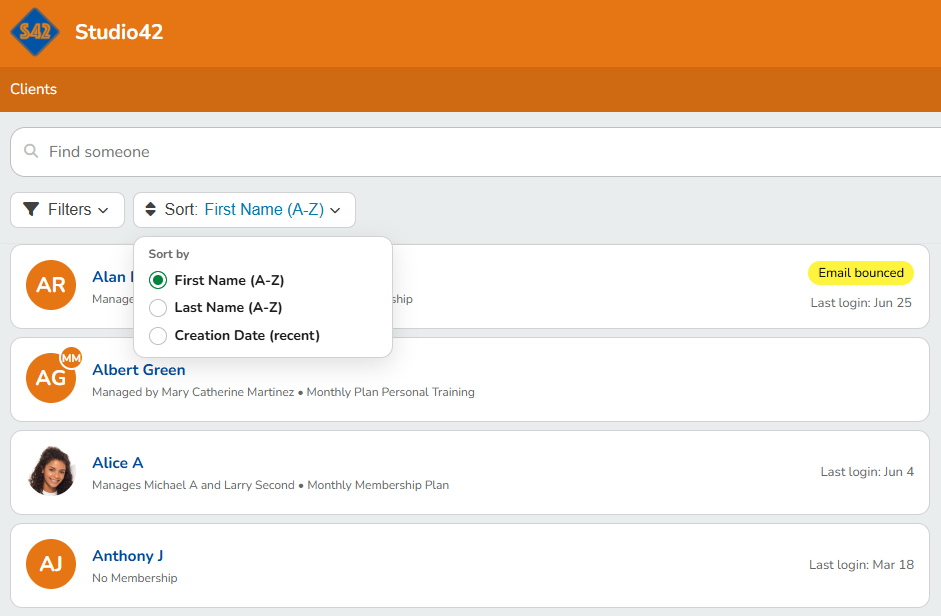
- You can also sort clients using the Sort function.
- First Name (A-Z)
- Last Name (A-Z)
- Creation Date (recent)
Note
Additional filter options will appear as the filters are selected for instance like date range or age.
Note
Limited Staff Member Permissions
Limited Staff Members will see a more restricted view for their clients.
Key Information
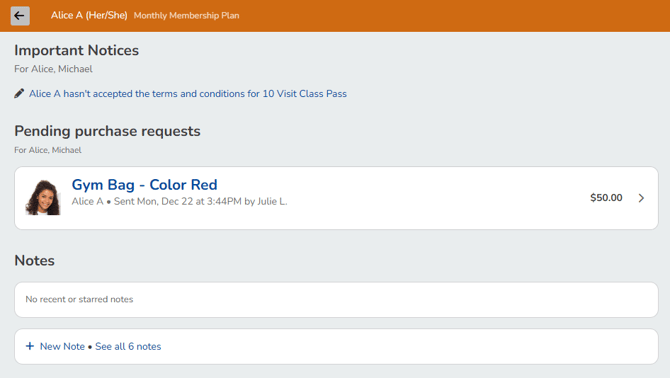
- Important Notices: Unpaid bills, failed payments, or unsigned waivers
- Pending Purchase Requests: List of any pending purchase requests
- Notes: Starred notes, link to all notes, and option to add a note
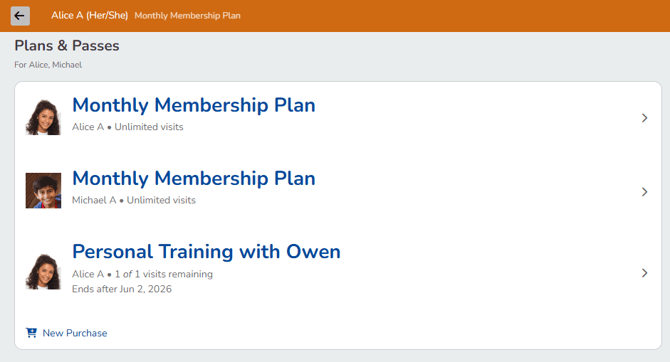
- Plans & Passes: List of active passes and plans
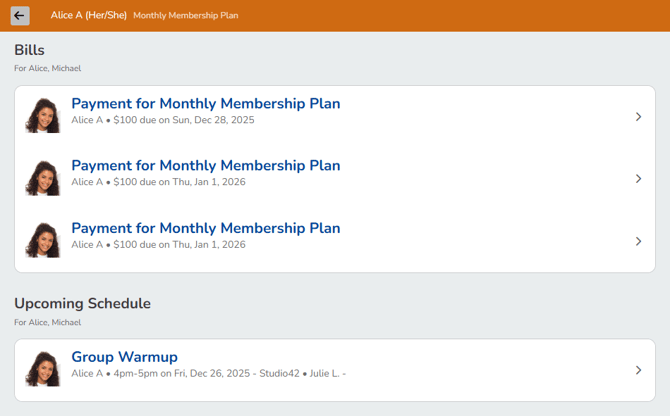
- Bills: Upcoming scheduled charges and account credit balance
- Upcoming Schedule: The client's upcoming classes and appointments