
Staff members can manage their own Pike13 notification settings to receive various alerts via text (SMS), email, or within the Pike13 website.
In This Article
Who can use this feature?
- Pike13 Plans: ✅Premium, ✅Advanced, ✅Essential
- User Roles: ✅Primary Owner, ✅Owner, ✅Manager, ✅Staff, ✅Limited Staff
Managing Notification Settings
-
At the top of any Pike13 page, click the Notifications / bell icon.

-
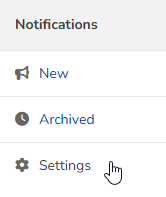
Click Settings.
-
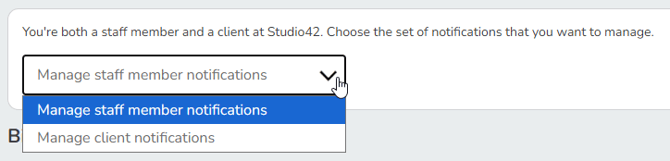
If you are a staff member who is also a client, choose between editing your staff member or client notifications.
-
To change or update your preferences, toggle on or off Web - Text - Email next to any of the available notification types.
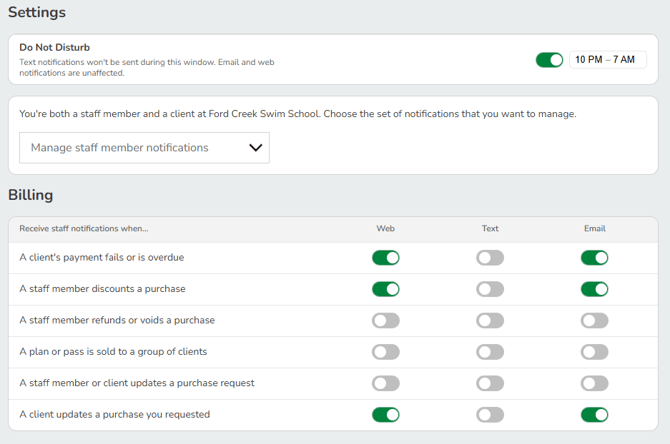
Learn more about all staff notification types.
Note
Notifications that occur around the same time are collected into one email, even though your Pike13 business will continue to list them separately. Text messages are sent separately.
Reviewing Notifications
-
At the top of any Pike13 page, click on the Notifications button (bell icon).
-
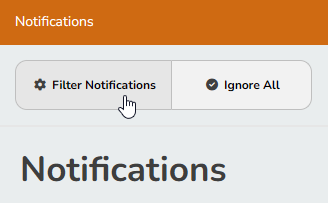
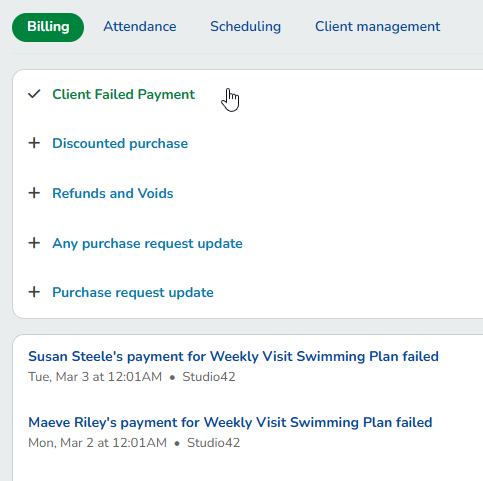
To find a particular type of notification, click Filter Notifications.
-
You may click through the following categories:
-
Billing
-
Attendance
-
Scheduling
-
Client management
-
-
Once selected, the page will update with relevant notification types.
-
-
To archive notifications, do one of the following:
-
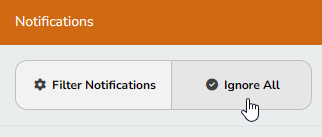
To archive all notifications, click Ignore All.
-
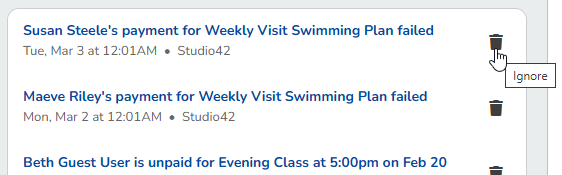
To archive one notification, click the Ignore button. Archiving a notification reduces the notifications count at the top of your Pike13 page.
-
-
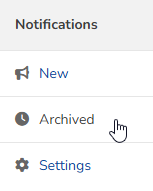
To see dismissed notifications, click Archived.
Note
International Numbers
International numbers must be formatted as [subscriber number including area code]. Pike13 will prepend the business country code to the phone number based upon the country set in Advanced Settings.
Note
Archiving Notifications
Notifications older than 90 days are archived automatically (including previously existing ones). Archived notifications are excluded from the badge count but can still be viewed by clicking Archived. Staff can still manually choose Ignore or Ignore All at any time.