
In This Article
Who can use this feature?
- Pike13 Plans: ✅Premium, ✅Advanced, ✅Essential
- User Roles: ✅Primary Owner, ✅Owner, ✅Manager, ❌Staff, ❌Limited Staff
Scheduling Course Occurrences
- At the top of any Pike13 page, click Settings then click Services.
- Select the course you wish to modify.
- Ensure you are on the page showing Course, Details, Registration, Cancellation, Website Settings, and Pay Rates.
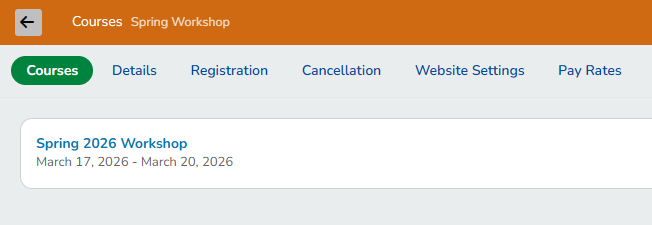
- Click + Course Occurrence.

- Enter the following details:
- Name: This defaults to the service name, but it can be customized. E.g. Summer Camp 2026, or 2026 Instructor Training.
- Location: Available if your business has multiple locations.
- Start date
- Start time
- End time
- Repeats:
- Does not repeat: This is a single session being scheduled.
- Daily: This course will recur every day forever, after a certain date or after a number of occurrences.
- Weekly: This course will recur on selected days of the week on a weekly basis forever, after a certain date or after a number of occurrences.
- Instructed by: Add the instructor for this series. You may leave this blank or even add multiple instructors.
- Capacity: you can choose to set a different capacity for only this course occurrence.
- Rooms: Select the rooms available for this course occurrence.
- Special instructions for enrolled clients: This is emailed to clients enrolled in the service for reminders or special instructions.
- Click Finish to save the offering.
For camps or courses that occur every week, set up additional courses by clicking + Course Occurrence and repeat the steps above.
Adding to an Existing Course Occurrence
- At the top of any Pike13 page, click Settings then click Services.
- Select the course you wish to modify.
- Select the series you want to add additional days/times to.
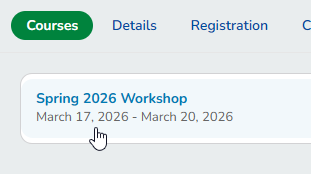
- Click + Add Another Time.

- Enter the following details:
- Location: Available if your business has multiple locations.
- Start date and time
- End time
- Repeats:
- Does not repeat: This is a single session being scheduled.
- Daily: This course will recur every day forever, after a certain date or after a number of occurrences.
- Weekly: This course will recur on selected days of the week on a weekly basis forever, after a certain date or after a number of occurrences.
- Instructed by: Add the instructor for this series. You may leave this blank or even add multiple instructors.
- Click Finish to save the changes.