
Have you changed your email address? Do you want to update your profile photo or other information for a business? You can update your information in Pike13 anytime.
In Pike13, you have two different email addresses associated with your account. It is important to know which one you want to change:
-
Pike13 Account Email (Login): This is your "Username." You use this to sign in to any Pike13 business (e.g., your Yoga studio AND your Crossfit gym).
-
Contact Email (Notifications): This is where a specific business sends your receipts and emails. You can have a different contact email for every business you visit.
In This Article
Updating Your Contact Email Address
Use this if you want to change where you receive emails from a specific business, but want to keep your login the same.
-
Log in to your Pike13 account.
-
Click My Businesses, then click the business of interest.
-
On the top right, click Profile to navigate to your Dashboard.
-
On the right side menu, click Edit Profile.
-
Update the Email field.
-
You may update any other profile fields that may be outdated.
-
-
Click Save.
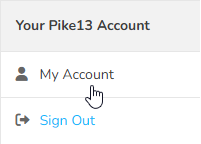
- To update your contact address for another Pike13 business, scroll down to Your Pike13 Account and click My Account.
- Repeat steps 2-7 as needed.
Updating Your Login Email Address
Use this if you want to change the email address you use to log in to all your Pike13 accounts.
- Log in to your Pike13 account.
- Click My Account.
- Update your email address, enter your current password and click Save.
- You will receive an email from Pike13 to confirm your new email address.
- Click the link in the email to start using your new sign-in email address.
Security Measures
Pike13 has multi-factor authentication available to improve security around your account. To learn more about it, please read Logging In With Multi-Factor Authentication.
For instructions on setting up multi-factor authentication, please read the Security section in Creating An Account / Profile.