
While owners and managers can manage the availability for any staff member, staff members are limited to updating only their own schedules to designate when they are available for client appointments.
In This Article
Who can use this feature?
- Pike13 Plans: ✅Premium, ✅Advanced, ✅Essential
- User Roles: ✅Primary Owner, ✅Owner, ✅Manager, ✅Staff, ❌Limited Staff
Setting Staff Availability for Services
-
At the top of any Pike13 page click Settings, then click Services.
-
Select the service where you want to add staff availability.
-
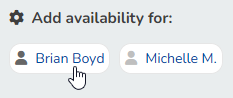
In the Staff Availability tab, click the staff member you want to make available under Add availability for.
-
If the staff member already has some availability, you will see a summary of it. Click + Set Available Hours, and follow the instructions on how to Add Staff Availability.
-
If the staff member does not have any availability set, you will immediately be prompted to add it. Begin adding availability at Step 5.