
Modifying or Deleting Levels
- At the top of any Pike13 page click Settings, then click Skill Tracking.
- Select the program you wish to modify.
- Click Edit next to Levels.
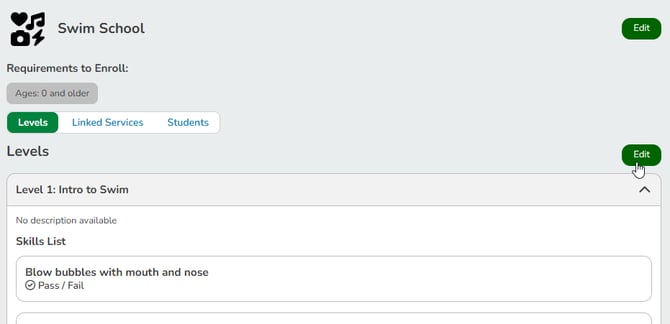
- Click the gear icon on the level you wish to modify.

- Make any necessary changes in the Edit Level modal and click Save.
- The Skills Attached field shows how many skills are currently linked to this level. This is read-only.
- To delete the level, click Delete Level & Skills.
Deleting a level will delete ALL skills attached to it. This will also delete all previously recorded skill tracking data. Deletion cannot be undone.
Modifying or Deleting Skills
- At the top of any Pike13 page click Settings, then click Skill Tracking.
- Select the program you wish to modify.
- Click Edit next to Levels.
- Click the edit icon by the skill you wish to modify.
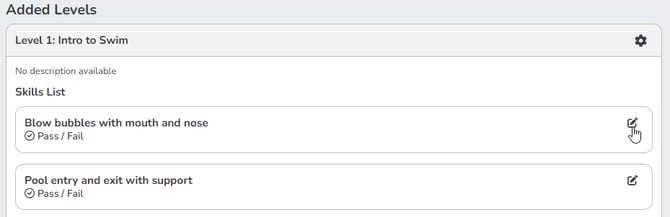
- Make any necessary changes in the Edit Skill modal and click Save Changes.
- To delete the skill, click Remove Skill.
Deleting a skill will delete ALL previously recorded skill tracking data for this skill. Deletion cannot be undone.