
If you are having trouble logging in to your MySkillChart account, you can easily reset your password by following these steps below.
1. Go to https://myskillchartsoftware.com/login
2. Click Forgot Password.
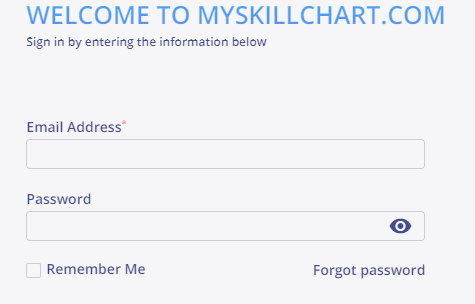
3. Enter your MSC account email address.
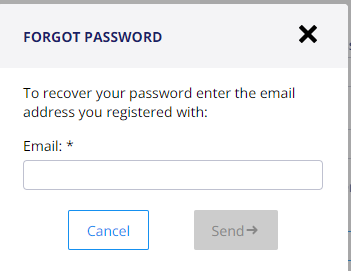
4. Click Send.
5. An email will be sent directly to you with a link to set a new password.
Note
Email was not received
If you do not receive an email, check your spam or junk folder. If it is not there reach out directly to the business to assist you with updating your profile and email address.