
If you are a Pike13 or Amilia customer, you will be able to connect these account to MySkillChart and your data will be updated automatically.
If you are not using Pike13 or Amilia, you can ensure your data is accurate by either uploading a spreadsheet periodically to MySkillChart or updating the data manually. Below is the process for importing a Family data to MyskillChart.
Importing in Family Class Data via a Spreadsheet
- Log in to MySkillChart
- Click on your profile picture and choose Settings
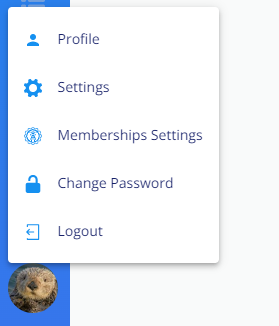
- Click on Import
- To set up the file import, select Jack Rabbit
- From here click File Import
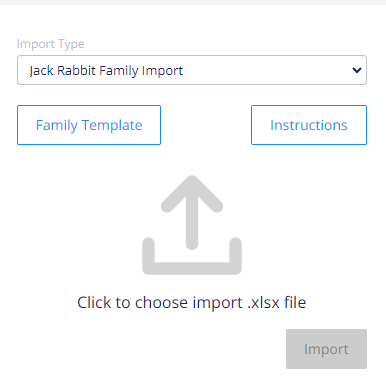
- Select Family Template to download an example import file
-
Format your spreadsheet to match the fields in the example import file
NOTE: The file must match exactly including keeping the blank columns.
- Save import file as xlsx
- Choose Import Type
- Family Import - import in students schedule
- Staff Import - Import in staff members schedule
- Upload Spreadsheet
- Click Import
WARNING
When a file is imported, the imported data replaces all existing class data.