
The Pike13 Kiosk app transforms your tablet into a self-service station for your front desk.
In This Article
Who can use this feature?
- Pike13 Plans: ✅Premium, ✅Advanced, ✅Essential
- User Roles: ✅Primary Owner, ✅Owner, ✅Manager, ✅Staff, ✅Limited Staff
- Install the Pike13 Kiosk app from the App / Play store on a tablet.
- Open the Pike13 Kiosk app.
- When prompted, ensure you allow camera access (required for scanning QR codes).
- Log in with your Staff email and password.
- Select Location: If your business has multiple locations, choose the one this kiosk serves.
- Select Mode: Choose how you want the kiosk to function:
- Sign In Only: Best for express check-in stations.
- Sign Up Only: Best for registration stations.
- Both: Allows clients to choose between signing in or signing up.
- Check In for Enrolled Only: Restricts check-in to clients who have already booked a spot in advance.
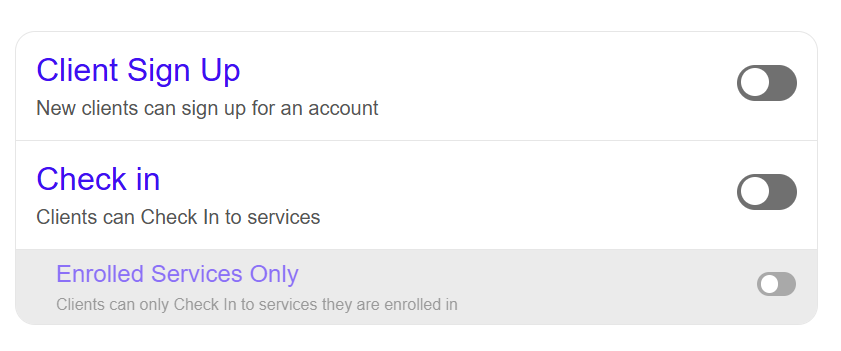
- Choose from the following options:
- Client Sign Up: Allows creation of new client profiles
- Check in: Allows checking in to services at the selected location whether the client is enrolled or not
- Enrolled Services Only: Restricts clients to only check in to events where they are already enrolled (useful when providing service to children or when walk-ups are uncommon)
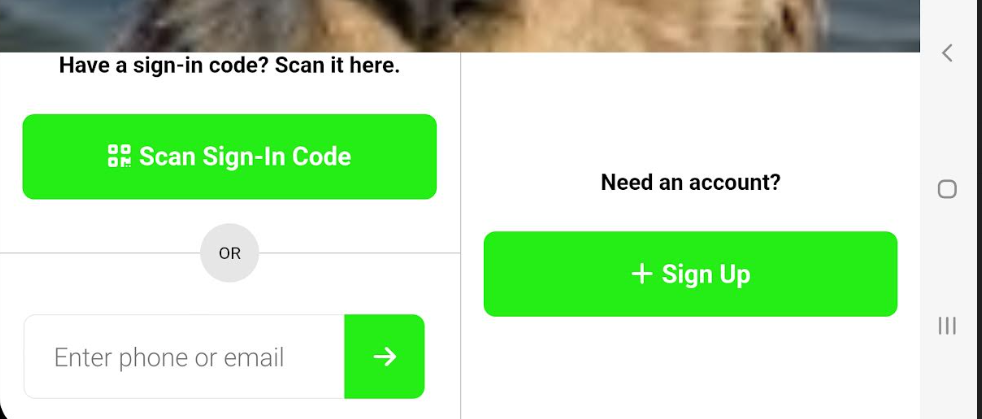
- The kiosk is now setup for client use.
Further Reading
For additional information on using the kiosk, see Client Sign Up and Check In via Pike13 Kiosk.
Tip
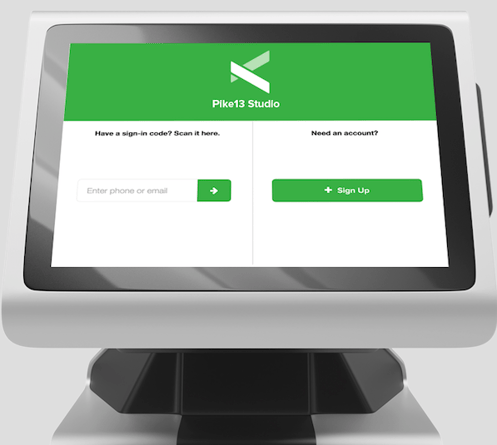
When mounting your tablet in a display stand, ensure the holder does not block the front-facing camera. Clients can use this to scan QR codes and take profile photos.
App Requirements
Due to the variety of hardware and software, performance may vary by device. All Pike13 apps are optimized for current operating systems and may not be compatible with all older devices, screen sizes, or custom settings.
Kiosk Permission
The Kiosk operates with Staff permissions. This allows clients to enroll in classes without an active pass or plan. Unpaid clients will appear on the roster, signaling staff to collect payment or sell a pass during check-in.