
In This Article
Who can use this feature?
- Pike13 Plans: ✅Premium, ✅Advanced, ✅Essential
- User Roles: ✅Primary Owner, ✅Owner, ✅Manager, ✅Staff, ✅Limited Staff
Your Schedule
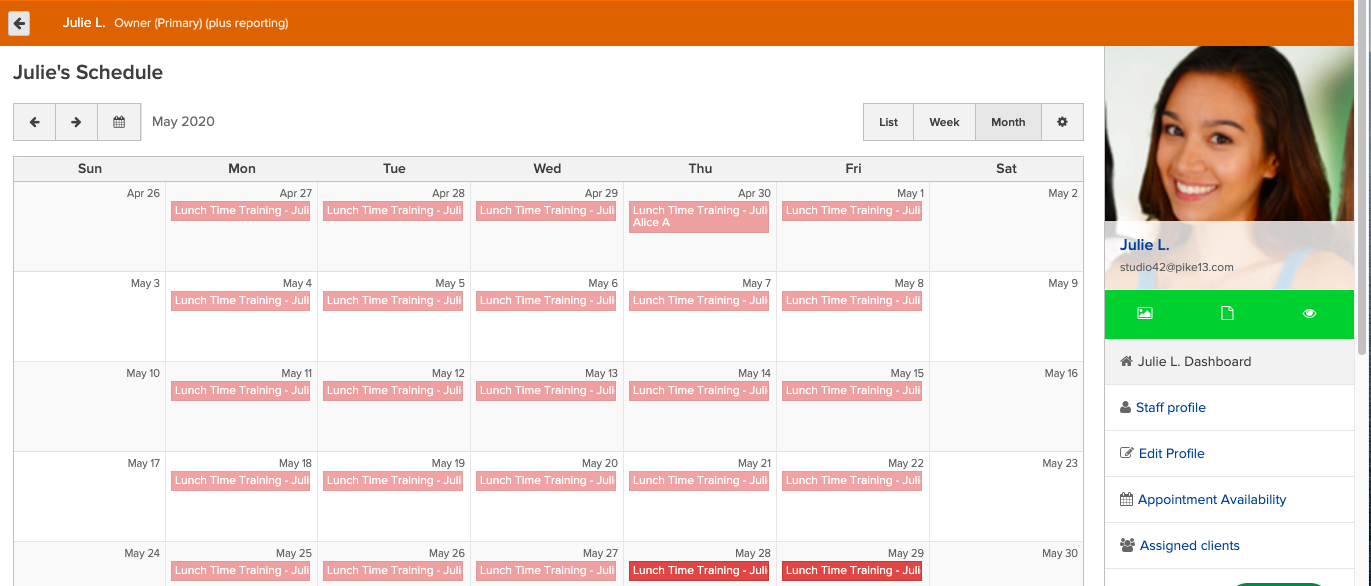
In your dashboard, you can see your own Schedule. You will see the classes you teach and booked appointments with you. You can view your schedule in a list, day, week, or month view. Click on an individual event to manage the roster and take attendance.
Business Schedule
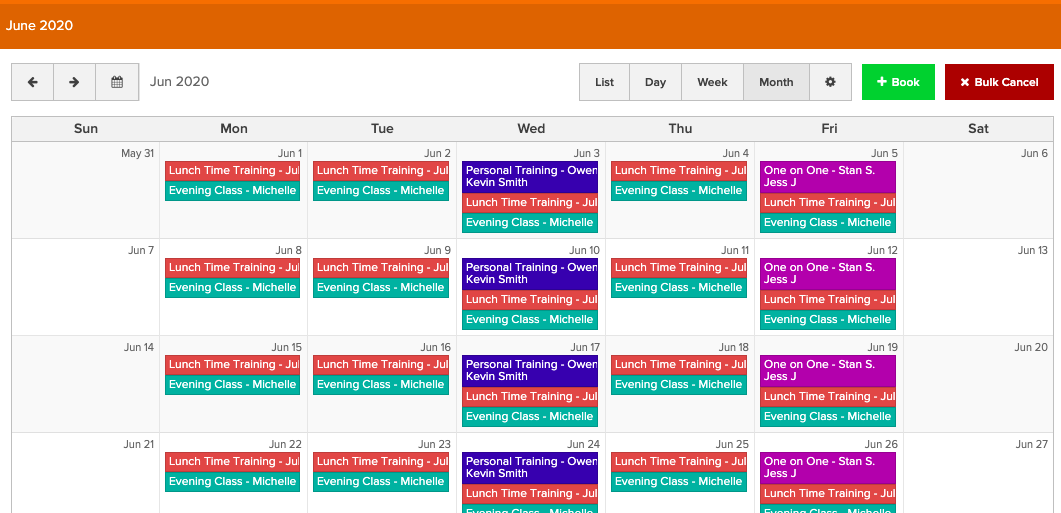
If you have role higher than a limited staff member, you can view the Schedule for the whole business. The Schedule will show all scheduled classes, courses and booked appointments. You can Book appointments by selecting the Book Button. If you are a Manager or an Owner, you can use Bulk Modify to update or cancel multiple events from the Schedule. See How to Bulk Modify/Cancel Scheduled Events.
Calendar Filters & Settings
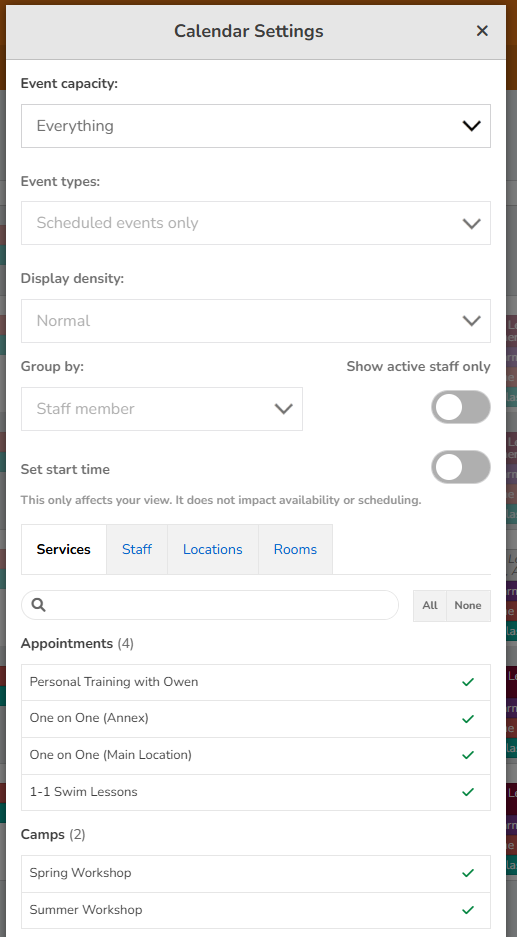
Click the gear icon to filter the schedule by Services, Staff, Locations, and Rooms. You can also filter by other factors and set the start time displayed.
Services and Rooms are organized into groups. Groups are collapsed when you open the filters, and every item is selected by default.
- Click a group's name to expand or collapse it.
- Check or uncheck a group's box to turn every item in that group on or off at once.
- If only some items in a group are selected, the group's box shows a dash.
- Use All or None to select or clear every item across all groups.
Filtering and Setting Your Start Time
To hide early morning hours that you don't need to see, staff members can apply a custom calendar Start Time filter. This helps you declutter your view and focus entirely on your active operational hours.
1. Open either the Schedule or Today calendar from your dashboard.
2. Ensure you are viewing the calendar in either Day view or Week view.
3. Open the Calendar Settings / Filters modal.
4. Use the Start Time toggle to select your preferred start hour (anywhere from 12 AM to 11 PM).
Important
-
Saved Preferences: Your chosen start time is saved specifically to your user profile and will persist across login sessions so you don’t have to change it every day.
-
Visibility indicator: When a custom start time is active, a badge reading "Start time: X AM/PM" will appear in your active calendar filters list.
-
View Limitations: This filter only applies to the continuous vertical grids of the Day and Week views. It does not affect the List or Month views.