
If you wish to offer a free pass to every client who creates a profile at your business, you can create a complimentary pass. Complimentary passes are automatically added when a client profile is created.
In This Article
Who can use this feature?
- Pike13 Plans: ✅Premium, ✅Advanced, ✅Essential
- User Roles: ✅Primary Owner, ✅Owner, ✅Manager, ❌Staff, ❌Limited Staff
Creating Complimentary Passes
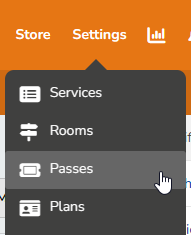
- At the top of any Pike13 page, click Settings, then Passes.
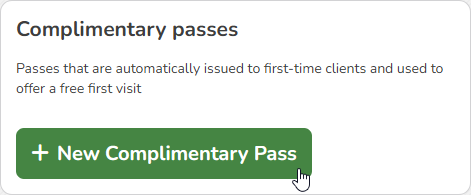
- Click + New Pass then click + New Complimentary Pass.
- On the Basic info tab, enter the following info:
- Name of the pass
- Short Description
- Full Description
- Terms and conditions
-
Warning
We do not recommend adding Terms and Conditions for complimentary passes. They are automatically added to new profiles, and clients do not have the opportunity to accept terms and conditions.
-
- Click Next Step.
- On the Pricing tab, enter the following info:
- Price: preset to be free
- Visits: the number of times the pass can be used, usually 1
- Pass expiry: the amount of time the pass will be valid
- Revenue Category: used for financial reporting
- On the Restrictions tab:
- Choose whether a client is considered a member when this pass is added to their profile. Only select "Yes" if you wish every client who creates a profile to be considered a member.
- Click Save.
- Select the services in which a client can enroll when they have this pass.
- Click Save.