
In This Article
Who can use this feature?
- Pike13 Plans: ✅Premium, ✅Advanced, ✅Essential
- User Roles: ✅Primary Owner, ✅Owner, ✅Manager, ❌Staff, ❌Limited Staff
External Payment Methods Overview
External payment methods (like Square or Venmo) allow you to record transactions processed outside of Pike13. These function similarly to cash or check payments.
-
Staff Only: External payments can only be processed by staff during checkout; clients cannot use them for self-service purchases.
-
Manual Tracking: Because these payments happen outside the system, you must manually enter the amount and any applicable transaction IDs.
-
No Autopay: External methods cannot be used for recurring or automated billing.
To use an external method at checkout, you must first add it as an option in your Business Settings.
Configuring External Payment Methods
- At the top of any Pike13 page, click Settings, then click Advanced Settings.
- In the Checkout section, click Accepted Payments.
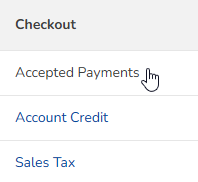
- Click the External Payment Systems tab.

- Click + Add Payment Method.
- Give it a unique name.
- Enable Show a field for manually entering the transaction number at checkout to keep track of any unique transaction or voucher codes in Pike13 reporting when processing a sale.
- Click + Create.
Warning
Billing Notifications
Pike13 automatically sends a reminder to clients 3 days before a manual recurring payment is due. If you process these via external methods and want to prevent these notifications, choose one of the following:
-
Close the bill early: Record the payment more than 3 days before the due date.
-
Update client settings: Have clients disable this specific alert in their notification settings.