
Create revenue categories to assign to items you sell in your store: plans, passes, courses and merchandise. Revenue categories are used in reporting to segment money that flows through your business. Clients will never see revenue categories.
In This Article
- Who can use this feature?
- Creating Revenue Categories
- Editing Revenue Categories
- Setting Revenue Categories for Single-Visit Passes
- Setting Revenue Categories for Passes or Plans
Who can use this feature?
- Pike13 Plans: ✅Premium, ✅Advanced, ✅Essential
- User Roles: ✅Primary Owner, ✅Owner, ✅Manager, ❌Staff, ❌Limited Staff
Creating Revenue Categories
-
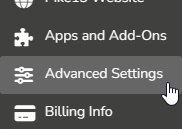
At the top of any Pike13 page click Settings, then click Advanced Settings.
-
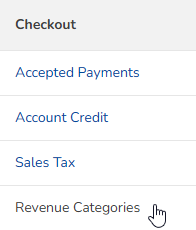
In the Checkout section click Revenue Categories.
-
Click + New Revenue Category.
- Enter a name for the category such as Camps, Merchandise or Lessons.
-
Click Save.
Editing Revenue Categories
-
At the top of any Pike13 page click Settings, then click Advanced Settings.
-
In the Checkout section click Revenue Categories.
-
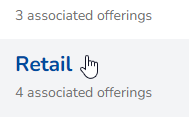
Select the category you wish to edit.
- Click Edit.
- Change the name of the revenue category, then click Update.
Setting Revenue Categories for Single-Visit Passes
- At the top of any Pike13 page click Settings, then click Services.
- Select the Class or Appointment type you wish to update.
- Click the Details tab.
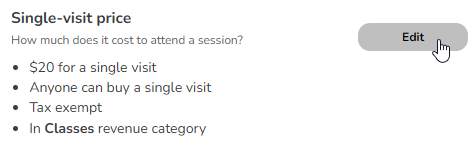
- In the Single-visit price section click Edit.
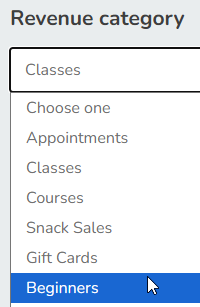
- Select the correct Revenue category from the dropdown menu.
- Click Save.
Setting Revenue Categories for Passes or Plans
-
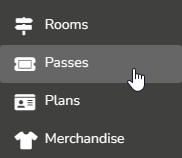
At the top of any Pike13 page click Settings, then click Passes or Plans.
-
Choose the pass or plan you wish to update.
-
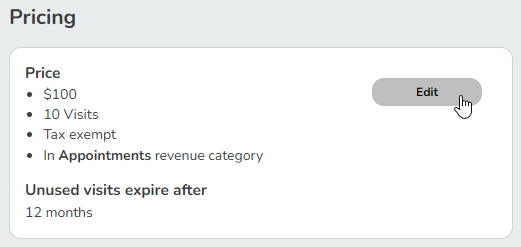
In the Pricing section click Edit.
-
Select the correct Revenue category from the dropdown menu for this Pass or Plan.
- Click Save.