
Questions about MFA? Learn how to Set Up Multi-Factor Authentication (MFA).
Once you have created your Pike13 account, you can sign in and manage your profiles at any business that uses our software from your computer, mobile device, or our client app.
In This Article
Who can use this feature?
- Pike13 Plans: ✅Premium, ✅Advanced, ✅Essential
- User Roles: ✅Primary Owner, ✅Owner, ✅Manager, ✅Staff, ✅Limited Staff, ✅Client
Signing In to Your Account
- In the top right corner of your Pike13 website, click Sign in.
- Enter your email address and password.
- Click Sign in.
Change Email Address or Password
- Once you are signed in, click Your Account on the bottom right.
- Select from the following options:
- To change your email address, under Email address enter an updated email address, and then under Current password enter your current password.
- To change your password, under Current password enter your current password, and then under Password enter your new password.
- Click Save.
Reset Your Password
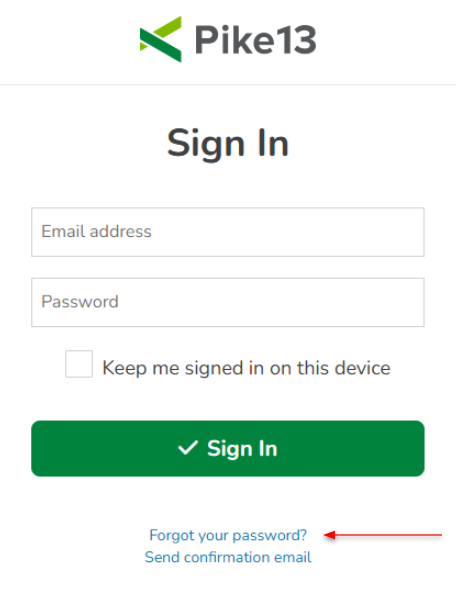
- On the sign in page, click Forgot your password?
- Enter your email address and click Send Instructions.
- Check your email, open the Pike13 email Reset password and click the link.
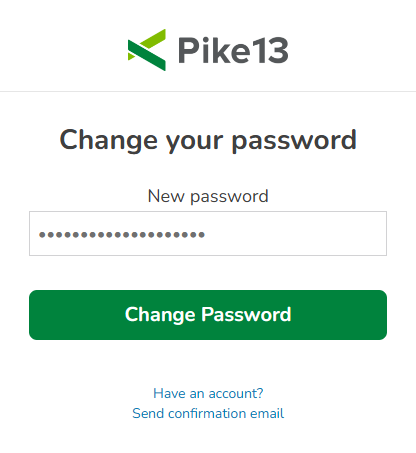
- Enter your new password and click Change Password.
Note
Account vs. Profile
-
Pike13 Account: One central login (email and password) that belongs to you.
-
Client Profiles: Business-specific records (waivers, plans, and history) that belong to each gym or studio you visit.
How it works: If you go to a yoga studio and a CrossFit gym that both use Pike13, you don't need two passwords. You sign in once to your Account and simply toggle between your Profiles for each business.
Trouble Signing In?
If you see an "Invalid email or password" error, try these steps in order:
-
Double-check your email: Ensure there are no typos and that you are using the exact address linked to your account.
-
Reset your password: Use the Forgot your password? link to receive a reset email.
-
Contact the business: If you still can't sign in after a reset, reach out to the business directly to verify which email address they have on file for you.