Gift cards can be a powerful tool for boosting sales and enhancing customer loyalty. Gift card recipients will be able to redeem their cards for account credit.
In This Article
Who can use this feature, after set-up?
- Pike13 Plans: ✅Premium, ✅Advanced, ✅Essential
- User Roles: ✅Primary Owner, ✅Owner, ✅Manager, ✅Staff, ❌Limited Staff
Configure Account Credit
This step is essential in allowing you to offer gift cards for your clients.
- At the top of any Pike13 page, click Settings, then click Advanced Settings.
- In the Checkout section click Account Credit.
- If not already allowed, select Allow credit.
- Enter the desired amount the maximum account credit a client will be able to accumulate.
- Click Save.
Learn how to Create Gift Cards to offer for sale.
Add Gift Cards to Website
- At the top of any Pike13 page, click Settings, then click Pike13 Website.
- Click the Navigation tab.
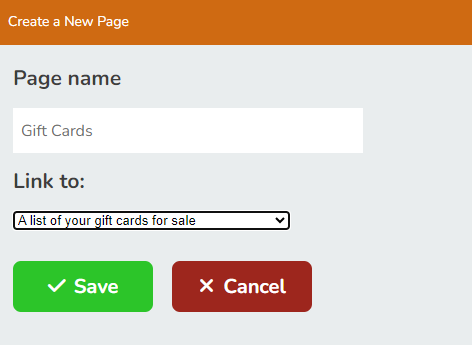
- Click + Create a New Page.
- Give the page a name.
- For the Link to dropdown, choose A list of your gift cards for sale.
- Click Save.