
Pike13 makes it easy to offer family discounts on plans. Enabling group rates on a plan is a great way to encourage more family members to sign up for your business by offering a discounted rate for additional family members.
In This Article
Who can use this feature?
- Pike13 Plans: ✅Premium, ✅Advanced, ✅Essential
- User Roles: ✅Primary Owner, ✅Owner, ✅Manager, ❌Staff, ❌Limited Staff
Setting Up Group Rates
- At the top of any Pike13 page, go to Settings > Plans.
- Select the specific plan you wish to modify.
- Scroll down to Group Rates.
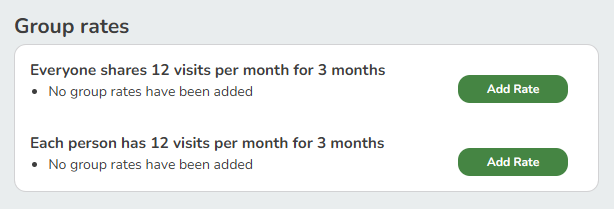
- Click Add Rate for:
- Everyone shares the same set of visits.
- One set of visits for the whole group (e.g., 3 people share 12 visits total).
- Each person has their own set of visits.
- Each member receives their own set of visits (e.g., 3 people get 12 visits each, totaling 36).
- Everyone shares the same set of visits.
- Select the group size and set the price per person, percentage off the base price per person, or the total price for the group.
- Click + Create.
- Add additional group rates, as needed.
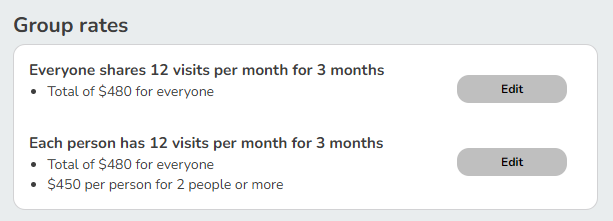
- You will see a summary of Group Rates once they are saved.
Best Practice
Simplifying Group Rate Options
We recommend choosing one sharing method per plan: either shared visits or visits for each client, simplifying the purchase process for clients.