
In This Article
Who can use this feature?
- Pike13 Plans: ✅Premium, ✅Advanced, ✅Essential
- User Roles: ✅Primary Owner, ✅Owner, ✅Manager, ✅Staff, ❌Limited Staff
Booking From the Schedule
- Go to Schedule and click + Book

- Select the service your client wants to book.
- Choose the day that your client wants to book.
- Days with fewer available time slots appear in a lighter color.
- Days with more availability are shaded darker.
- Choose an available time on the day that you have chosen.
- Select Staff Member and click Next
- Type the client name or names, and click Next.
- If the client is new to your business, choose New Client, enter the new client’s profile information, and click Save New Client.
- Choose how often the appointment repeats, if at all. Then, click Next.
- Review the details of your appointment, and do any of the following:
- Choose whether or not to Notify affected clients.
- Add a note for staff to the appointment by selecting + New Note.
- Make changes to the appointment by selecting Make Changes.
- Complete the process by pressing Book.
Booking From the Client Profile
- Click on Clients at the top of the page.
- Search for client name and click on their profile
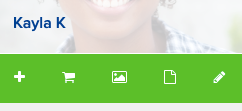
- Click on Plus button (+) in the menu bar on the right side of the page.
- Select the service your client wants to book.
- Choose the day that your client wants to book.
- Days with fewer available time slots appear in a lighter color.
- Days with more availability are shaded darker.
- Choose an available time.
- Select Staff Member and click Next
- Choose how often the appointment repeats, if at all, and then select Next.
- Select whether to notify client, then click Book.
Note
Booking Outside of Staff Availability
To book with a staff member who isn't available at the selected time, choose Other in the staff member picker. This displays all staff members, including those without availability at that time. If your selection is outside their configured availability, a warning will appear — you can still proceed with the booking.