
Service categories allow you to group together different services on your client-facing Pike13 Website. You can assign a service category when you create a service. Many businesses find it easier to create services first, then decide which service categories are needed.
In This Article
Who can use this feature?
- Pike13 Plans: ✅Premium, ✅Advanced, ✅Essential
- User Roles: ✅Primary Owner, ✅Owner, ✅Manager, ❌Staff, ❌Limited Staff
Adding Service Categories
- At the top of any Pike13 page, click Settings, then click Services.
- Click Manage Categories.
- Click + New.
- Add the following details:
- Category name: This appears on the client-facing website.
- Category summary: This appears on the client-facing website and only supports text.
- Full category description: You can add text, pictures and links for a more comprehensive description of the category. This appears on the client-facing website.
- Services in this category: Click Add More, and select each service you wish to add to the category.
- To remove a service, click on the service in the list.
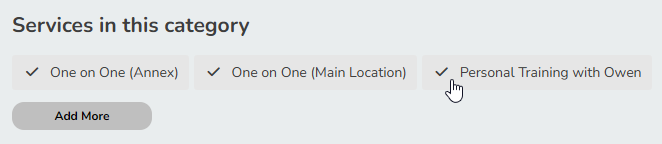
- Note: A service can only be assigned to one service category.
- To remove a service, click on the service in the list.
- Click Save.
Learn how to add service categories to your Pike13 website.
Modifying Service Categories
- At the top of any Pike13 page, click Settings, then click Services.
- Click Manage Categories.
- Click Edit next to the category you wish to change.
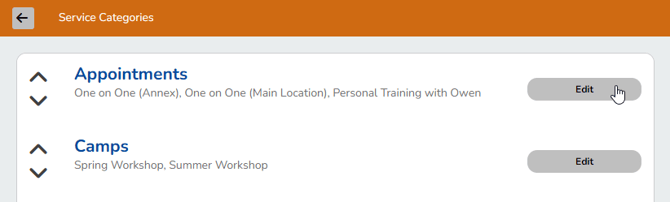
- Update any fields as needed.
- To remove a service, click on the service in the list.
- Note: A service can only be assigned to one service category.
- To remove a service, click on the service in the list.
- Click Save.
Learn how to add service categories to your Pike13 website.
Adding Service Categories to Your Pike13 Website
- At the top of any Pike13 page, click Settings, then click Pike13 Website.
- Click on Navigation at the top of the page.
- Click + Create a New Page.
- Add the following details:
- Page name: This is the name customers will see in your website. We recommend keeping it brief.
- Link to: Select one of the following depending on your needs:
- A list of your service categories
- Custom Page Text: To write your own HTML, click or tap the gear button. Heading tags (H1, H2, etc), strong, bold, em, i, p, br, ordered lists, unordered lists, images, and links are allowed. All other HTML will be stripped out.
- A specific service category
- Select a service category for this link.
- A list of your service categories
- Click Save.
Learn more about managing your Pike13 website.